The Keyestudio KS0158 RJ11 EASY Plug Starter Kit is an Arduino learning kit for beginners, students and makers. It combines an EASY Plug Control Board V2.0 based on the ATmega328P microcontroller with a wide selection of sensor and output modules. The EASY Plug cable system makes it easier to connect compatible modules without building every circuit from individual jumper wires.
ATmega328P Controller
Includes the EASY Plug Control Board V2.0 for Arduino-style programming.
19 Sensor & Module Types
Experiment with light, sound, temperature, water, touch and movement.
22 Guided Projects
Learn through practical LED, sensor, alarm and interactive projects.
Easy RJ11-Style Connections
Connect compatible modules with keyed EASY Plug cables.
Beginner-Friendly Learning
Explore digital inputs, analogue readings and output control step by step.
A Practical Introduction to Arduino
The KS0158 is designed to help learners understand how a microcontroller reads inputs, processes information and controls outputs. The included controller works with the Arduino development environment, while the supplied modules provide practical examples of digital and analogue signals.
Instead of repeatedly assembling circuits with loose jumper wires, learners can connect compatible EASY Plug modules using the supplied cables. This makes it easier to move between experiments and focus on programming, testing and understanding each component.
EASY Plug Control Board V2.0
At the centre of the kit is the Keyestudio EASY Plug Control Board V2.0, based on the ATmega328P-AU microcontroller. The board provides the controller platform for the included experiments and connects to the computer through the supplied USB cable.
The controller is designed for use with compatible EASY Plug modules. Follow the connection diagrams and port instructions in the KS0158 tutorial when building each project.
RJ11-Style EASY Plug Connection System
Keyestudio’s EASY Plug system uses keyed RJ11-style crystal connectors and matching cables to simplify connections between the controller and compatible modules. The connector groups the module connections into one plug, reducing the need to wire individual signal, power and ground connections for each supplied experiment.
Important: RJ11 describes the connector style. EASY Plug modules are electronics components, not telephone devices. Never connect them to a telephone line or telephone equipment.
Explore 19 Sensor and Module Types
The KS0158 combines input sensors and output modules for a range of beginner-friendly electronics experiments. Instead of a long inventory list, the modules can be understood in these practical groups:
Light & Visual Output
Photocell sensor and three white LED modules for light detection, blinking and light-controlled projects.
Sound & Alerts
Analogue sound sensor, active buzzer and passive buzzer for sound response and audible alerts.
Temperature & Environment
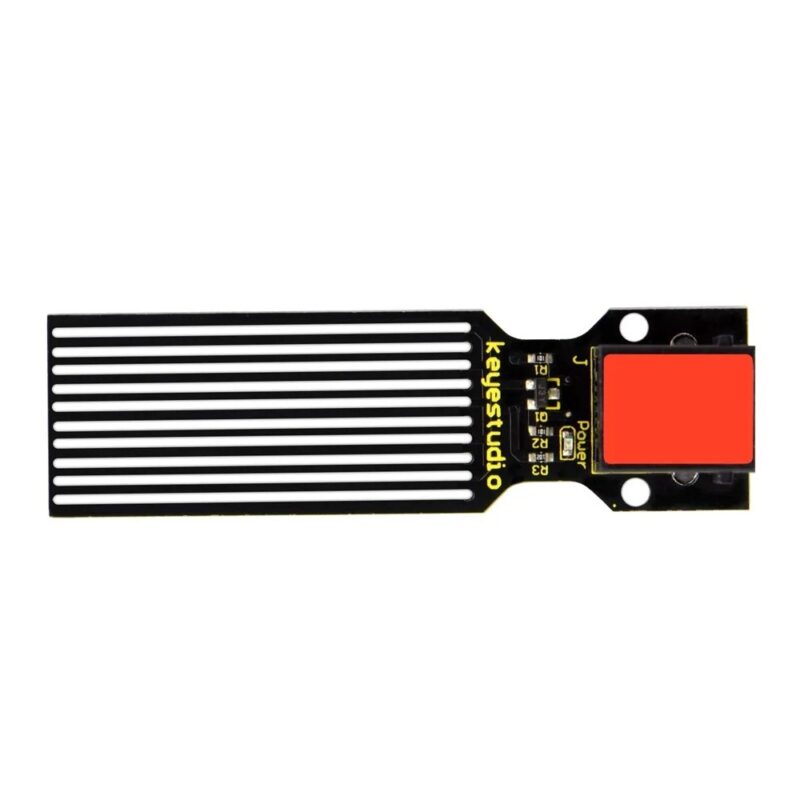
Analogue temperature sensor, LM35, water sensor and soil humidity sensor for measurement and monitoring experiments.
Touch & Motion
Push button, capacitive touch, knock, tilt, vibration and collision modules for interactive input.
Magnetic & Control
Hall magnetic sensor, reed switch and rotation sensor for magnetic detection and adjustable input experiments.
What Can You Learn with the KS0158?
LEDs, Buzzers and Digital Outputs
Use the white LED modules to learn basic digital output, blinking patterns and flowing-light effects. The active and passive buzzer modules introduce sound output and simple audio experiments.
Analogue Inputs and Sensor Readings
Experiment with changing readings from the rotation sensor, sound sensor, photocell and temperature sensors. You can observe sensor values and use conditions in your Arduino sketches to control an output.
Light, Sound and Environmental Experiments
The photocell, sound, water and soil humidity sensors support introductory projects involving light response, sound-controlled outputs, water detection and basic soil moisture monitoring.
Touch, Movement and Magnetic Detection
Explore interactive input using the push button, capacitive touch, knock, tilt, vibration and collision modules. The Hall magnetic sensor and reed switch provide two different ways to introduce magnetic detection.
Temperature Projects
The kit includes an analogue temperature sensor and an LM35 temperature sensor module. The guided lessons use temperature readings in measurement and alarm-style projects.
22 Guided Arduino Learning Projects
The official KS0158 learning sequence contains 22 lessons. These are designed to build confidence progressively, from simple controller tasks to sensor-based applications. Here are some practical examples of what learners explore:
LED & Output Control
Start with basic LED blinking and flowing-light effects to understand digital outputs.
Sound-Responsive Projects
Use the sound sensor and buzzer modules to experiment with sound-controlled lights and alerts.
Environmental Monitoring
Explore temperature measurement, water detection and soil moisture or plant-monitoring concepts.
Interactive Controls
Build experiments around push buttons, touch, knock, tilt and collision detection.
Magnetic & Safety Alerts
Learn magnetic-field detection and create introductory vibration, flame and temperature alarm projects.
For the complete lesson sequence, connection diagrams and example code, use the official Keyestudio KS0158 tutorial linked below.
Technical Specifications
| Brand |
Keyestudio |
| Model |
KS0158 |
| Product Type |
RJ11-Style EASY Plug Arduino Starter Kit |
| Included Controller |
EASY Plug Control Board V2.0 |
| Microcontroller |
ATmega328P-AU |
| Controller Operating Voltage |
5V |
| Controller Clock Speed |
16MHz |
| Connection System |
Keyed RJ11-style EASY Plug connectors |
| Sensor / Module Types |
19 types, with 3 white LED modules |
| Guided Lessons |
22 projects |
| Programming Environment |
Arduino IDE |
What’s Included in the Box?
The KS0158 package brings together the controller, connection accessories, mounting hardware and the sensor modules needed for the guided experiments.
Controller & Connection
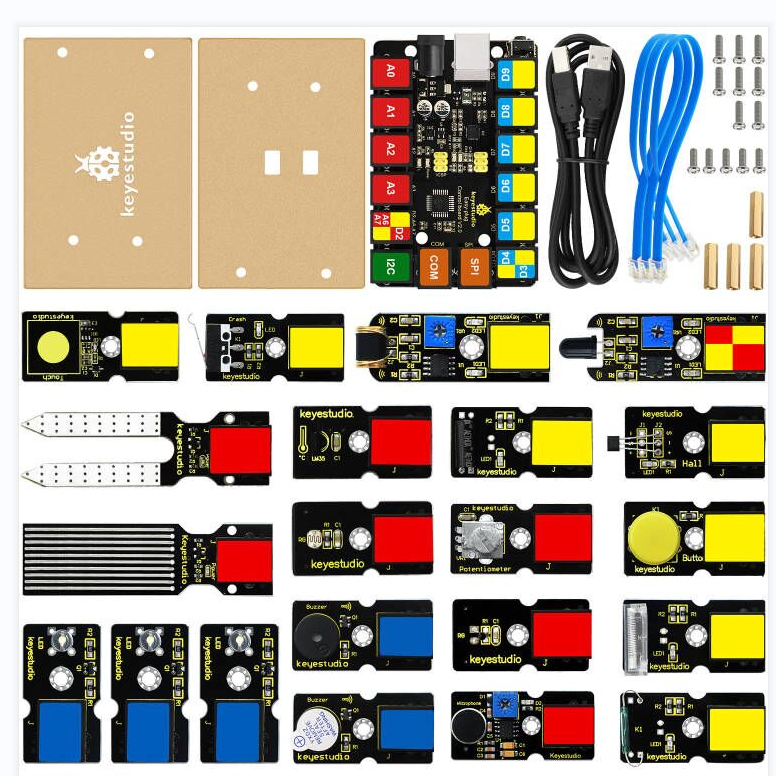
1 × EASY Plug Control Board V2.0, 3 × EASY Plug cables and 1 × USB cable.
Sensor & Output Modules
19 module types, including three white LEDs, active and passive buzzers, temperature, sound, light, water, soil, touch, motion and magnetic sensors.
Mounting Components
2 × acrylic boards, 4 × M3 × 15mm copper pillars, 5 × M3 × 8mm screws and 8 × M3 × 10mm screws.
Package note: The sensor/module group includes the individual modules listed in the product specifications. Please refer to the official KS0158 kit documentation for the detailed component inventory.
Who Is This Arduino Starter Kit For?
- Beginners learning Arduino and basic electronics
- Students exploring programming and microcontrollers
- STEM and electronics learning activities
- Schools, classrooms and coding clubs
- Hobbyists and makers building introductory sensor projects
- Teachers and workshop leaders demonstrating input and output concepts
Compatibility and Setup Notes
- Use the supplied EASY Plug cables with the compatible controller and modules.
- Follow the official KS0158 tutorial for the correct module port and wiring arrangement for each lesson.
- Use the Arduino IDE and the relevant example code to program the controller.
- Check compatibility before adding third-party or non-EASY Plug modules; connector appearance alone does not guarantee electrical compatibility.
- Do not connect EASY Plug cables or modules to telephone or network sockets.
Frequently Asked Questions
Does the Keyestudio KS0158 include a controller board?
Yes. The kit includes the Keyestudio EASY Plug Control Board V2.0, based on the ATmega328P-AU microcontroller.
Do I need to purchase an Arduino UNO separately?
No separate Arduino UNO is required for the supplied KS0158 learning projects because the kit includes its own ATmega328P-based EASY Plug controller.
How many sensor and module types are included?
The kit list covers 19 sensor and module types. It includes three white LED modules, along with buzzer, temperature, sound, light, water, soil humidity, touch, movement and magnetic modules.
How many projects can I build with this kit?
The KS0158 learning material provides 22 guided projects, starting with basic communication and LED experiments and progressing to sensor-based alarms and interactive projects.
What does RJ11 EASY Plug mean?
It refers to the keyed connector style used to connect compatible Keyestudio modules to the controller using EASY Plug cables. It simplifies module wiring.
Can I connect the RJ11 cables to a telephone line?
No. These are electronics connections, not telephone connections. Never connect the kit’s cables or modules to telephone equipment or telephone lines.
Can I program the KS0158 using Arduino IDE?
Yes. The included ATmega328P-based controller is intended for Arduino-style programming. Follow the KS0158 tutorial for setup guidance and example sketches.
Is soldering required for the included projects?
The supplied EASY Plug modules are designed to connect using the included cables, so soldering is not required for the standard guided projects.
Is the KS0158 suitable for beginners?
Yes. It is a starter learning kit with guided projects that introduce basic Arduino programming, LEDs, sensor readings and simple interactive electronics.
Can I add more sensors later?
Additional compatible Keyestudio EASY Plug modules can be used where supported. Check the module’s electrical requirements, controller port and tutorial before connecting extra hardware.
Official Keyestudio Documentation
For the manufacturer’s project instructions, connection diagrams and example code, see the official Keyestudio KS0158 tutorial.
Buy Keyestudio KS0158 RJ11 EASY Plug Starter Kit in Pakistan
Choose the Keyestudio KS0158 RJ11 EASY Plug Starter Kit for a structured introduction to Arduino programming and sensor-based electronics. With an included ATmega328P controller, 19 sensor and module types, keyed EASY Plug connections and 22 guided projects, it gives beginners a practical way to explore microcontrollers and interactive experiments.
 Pick up from PcGuy Computers Store
 AusPost Standard
 AusPost Express


 Arduino Modules & Sensors
 Battery Compartments
 Component Cases
 Electronics Kits
 Microcontroller Boards
 Project Enclosures
 Shields & Hats
 Tablets
 Laptops
 Laptop Accessories
 CPU (Processor)
 CPU Coolers
 GPU (Graphics)
 HDD/ SSD (Storage)
 MOBO (Motherboard)
 PSU (Power Supply)
 RAM (Memory)
 Keyboard & Mouse Combo
 Keyboards
 Printers
 USB
Reviews
There are no reviews yet.