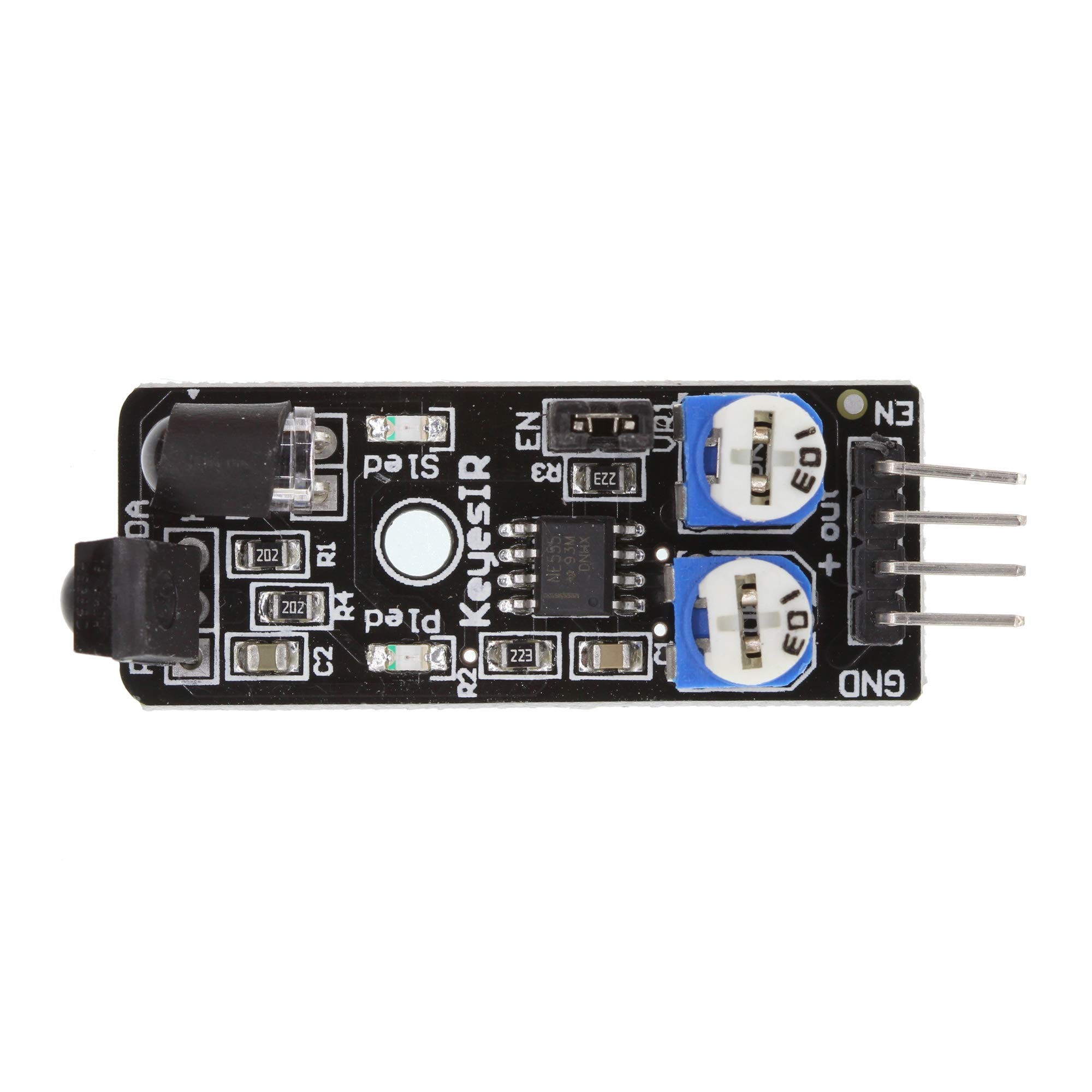
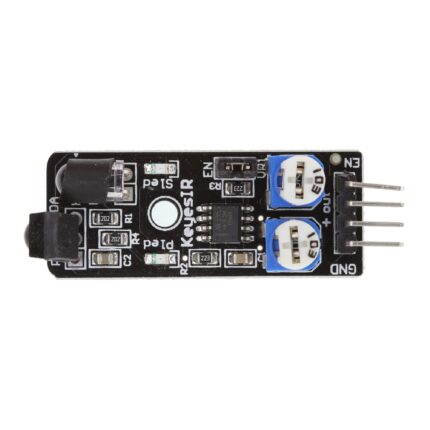
The KY-032 IR Obstacle Avoidance Sensor Module is a compact reflective infrared sensor for detecting nearby objects without physical contact. It uses an IR transmitter and receiver to sense reflected light and provides a digital output that can be read by Arduino and other compatible microcontrollers. Its adjustable detection threshold and enable pin make it useful for robot cars, obstacle-avoidance projects and electronics experiments.
Key Features
Infrared Reflection Detection
Emits infrared light and detects reflected light from a nearby object or obstacle.
Adjustable Detection
Onboard adjustment controls let you tune the detection threshold for your project and surroundings.
Digital Output
Provides a simple HIGH/LOW signal for microcontroller-based obstacle detection.
Enable Control
The EN pin can control sensor operation when the enable jumper is removed.
3.3V–5V Supply
Designed for low-voltage DC electronics projects using a compatible supply.
Compact Robotics Module
Useful for robot cars, proximity-triggered actions and small automation prototypes.
Technical Specifications
| Model |
KY-032 |
| Sensor Type |
Reflective infrared obstacle / proximity sensor |
| Operating Voltage |
3.3V–5V DC |
| Operating Current |
Typically specified as 20mA or more on common KY-032 variants; check the actual board version |
| Detection Distance |
Adjustable; commonly quoted around 2–40cm, depending on module version and target conditions |
| Detection Angle |
Approximately 35° on common versions |
| Output Type |
Digital TTL-level signal |
| Output Logic |
Typically LOW when an obstacle is detected and HIGH when clear |
| Interface |
4 pins: GND, +, S (OUT), EN |
| Adjustment |
Onboard potentiometers for sensor tuning |
| Enable Control |
EN pin; default jumper may keep detection continuously enabled |
Compatible Devices and Controllers
- Arduino Uno, Nano and other boards with compatible digital inputs
- ESP32 and ESP8266 boards, after checking signal voltage compatibility
- Raspberry Pi projects using a suitable logic-level interface where required
- Robot car and robotics controller boards with digital sensor inputs
Applications
- Obstacle detection for small robot cars and autonomous robotics prototypes
- Proximity-triggered alarms, indicators and switching projects
- Object detection in STEM and educational electronics experiments
- Contactless detection for simple automation systems
- Microcontroller projects that need a basic digital obstacle signal
Connection and Setup Guide
- Connect GND to the controller ground and the + pin to a regulated 3.3V–5V supply supported by your module.
- Connect S or OUT to a digital input pin on your microcontroller.
- For normal always-on operation, leave the EN jumper in its default position if fitted.
- To control the sensor through software, remove the EN jumper and connect EN to a controller output. On common KY-032 versions, EN is active HIGH.
- Power the circuit and read the digital output. On common versions, LOW indicates an obstacle and HIGH indicates no detected obstacle.
- Adjust the onboard controls gradually and test with the actual object, distance and lighting conditions of your project.
Important Before Buying
- Detection is reflective: Performance depends on object colour, surface, shape, angle, ambient light and sensor adjustment. Dark or angled surfaces may be harder to detect.
- Range varies: The commonly advertised 2–40cm range is not guaranteed for every KY-032 board or target. Some documented versions specify a shorter range.
- Digital, not distance measurement: This module reports whether a reflected signal crosses its threshold; it does not provide an accurate distance reading.
- Check logic levels: Before connecting OUT or EN to a 3.3V-only controller, confirm the module’s signal voltage. Use level shifting or a suitable interface if needed.
- Pin labels may vary: Confirm GND, +, S/OUT and EN markings on your actual board before wiring.
- Not a safety sensor: Do not rely on this hobby module as a safety-rated detector or for collision protection of people.
Frequently Asked Questions
What does the KY-032 sensor module do?
It detects nearby objects by emitting infrared light and sensing the light reflected back from an object. It then provides a digital signal to a connected controller.
What is the operating voltage of KY-032?
Common KY-032 modules are specified for 3.3V–5V DC operation. Confirm the markings and requirements of your particular board before powering it.
What is its detection range?
Many KY-032 listings quote an adjustable range of approximately 2–40cm, but the actual range varies with board version, adjustment, object surface and environment.
What does the sensor output indicate?
On common KY-032 versions, the digital output goes LOW when an obstacle is detected and HIGH when no obstacle is detected. Verify the behaviour of your board during setup.
Can I use KY-032 with Arduino Uno or Nano?
Yes. Connect its supply, ground and signal output to compatible Arduino pins, then read the signal using digitalRead() in your sketch.
Can I connect it to ESP32 or ESP8266?
It can be used in compatible microcontroller projects, but check the output voltage first. ESP32 and ESP8266 GPIO pins are 3.3V logic and are not 5V tolerant.
What is the EN pin used for?
EN is the enable control. With the default jumper fitted, the sensor is commonly kept enabled continuously. Removing the jumper allows a controller to enable or disable it through the EN pin.
Can KY-032 measure the exact distance to an object?
No. It is an adjustable digital obstacle detector, not an accurate distance-measuring sensor. Its output indicates detection at the set threshold rather than reporting centimetres.
Why Buy from PcGuy Computers?
- Pakistan-focused online ordering for electronics and sensor modules
- Product details to help you plan compatible Arduino and robotics projects
- Support for STEM, DIY and embedded electronics requirements
- Order assistance and after-sales support
Buy KY-032 IR Obstacle Avoidance Sensor Module in Pakistan
Order the KY-032 IR Obstacle Avoidance Sensor Module from PcGuy Computers for Arduino robotics, robot car and proximity-detection projects. Its adjustable reflective IR sensing and digital output make it a practical module for learning and prototyping. Check controller logic levels and the actual detection range required for your build before connecting.
 Pick up from PcGuy Computers Store


 Pick up from PcGuy Computers Store
 AusPost Standard
 AusPost Express
 Arduino Modules & Sensors
 Battery Compartments
 Component Cases
 Electronics Kits
 Microcontroller Boards
 Project Enclosures
 Shields & Hats
 Tablets
 Laptops
 Laptop Accessories
 CPU (Processor)
 CPU Coolers
 GPU (Graphics)
 HDD/ SSD (Storage)
 MOBO (Motherboard)
 PSU (Power Supply)
 RAM (Memory)
 Keyboard & Mouse Combo
 Keyboards
 Printers
 USB
Reviews
There are no reviews yet.