Typical Wiring
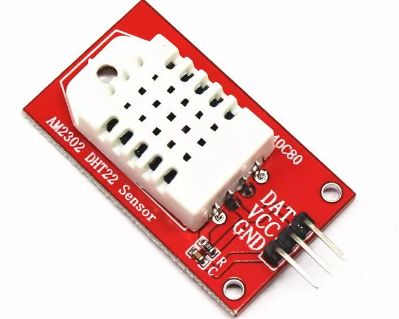
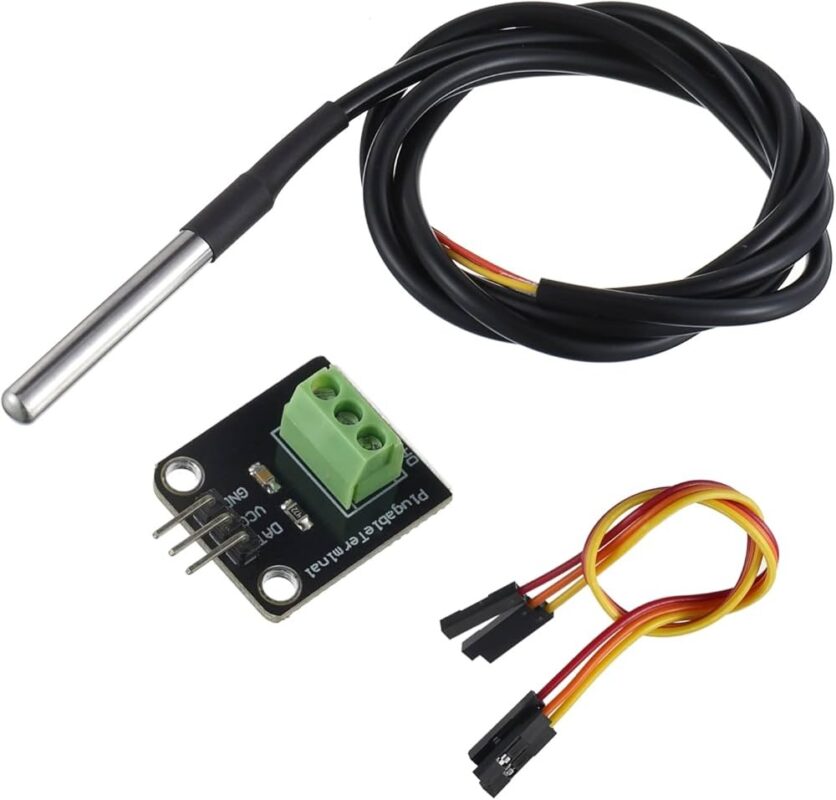
DHT22 breakout modules commonly provide three connections labelled VCC, DATA or OUT, and GND. Always confirm the labels printed on your particular module before connecting it.
DHT22 VCC  -> Arduino 5V
DHT22 DATA -> Arduino Digital Pin 2
DHT22 GND  -> Arduino GND
Many breakout-board versions include the required pull-up resistor on the data line. If you are using a bare AM2302/DHT22 sensor rather than a complete module, an external pull-up resistor may be required.
Required Arduino Library
A convenient way to use the sensor is with the DHT Sensor Library by Adafruit. Depending on the library version, you may also need to install the Adafruit Unified Sensor library.
Arduino Example Code
#include <DHT.h>

#define DHTPIN 2
#define DHTTYPE DHT22

DHT dht(DHTPIN, DHTTYPE);

void setup() {
  Serial.begin(9600);

  dht.begin();

  Serial.println("DHT22 AM2302 Temperature & Humidity Sensor");
}

void loop() {

  float humidity = dht.readHumidity();
  float temperature = dht.readTemperature();

  if (isnan(humidity) || isnan(temperature)) {
    Serial.println("Failed to read from DHT22 sensor");
    delay(2000);
    return;
  }

  Serial.print("Temperature: ");
  Serial.print(temperature);
  Serial.println(" °C");

  Serial.print("Humidity: ");
  Serial.print(humidity);
  Serial.println(" %");

  Serial.println();

  delay(2000);
}
Example Serial Monitor Output
Temperature: 25.4 °C
Humidity: 61.7 %

Temperature: 25.5 °C
Humidity: 61.5 %
Reading Temperature
Temperature in degrees Celsius can be read using:
float temperature = dht.readTemperature();
Fahrenheit readings can also be requested directly from the library:
float temperatureF = dht.readTemperature(true);
Reading Humidity
Relative humidity is returned as a percentage:
float humidity = dht.readHumidity();
For example, a reading of 65% indicates that the air is holding approximately 65% of the moisture it could contain at the current temperature before becoming saturated.
DHT22 vs DHT11
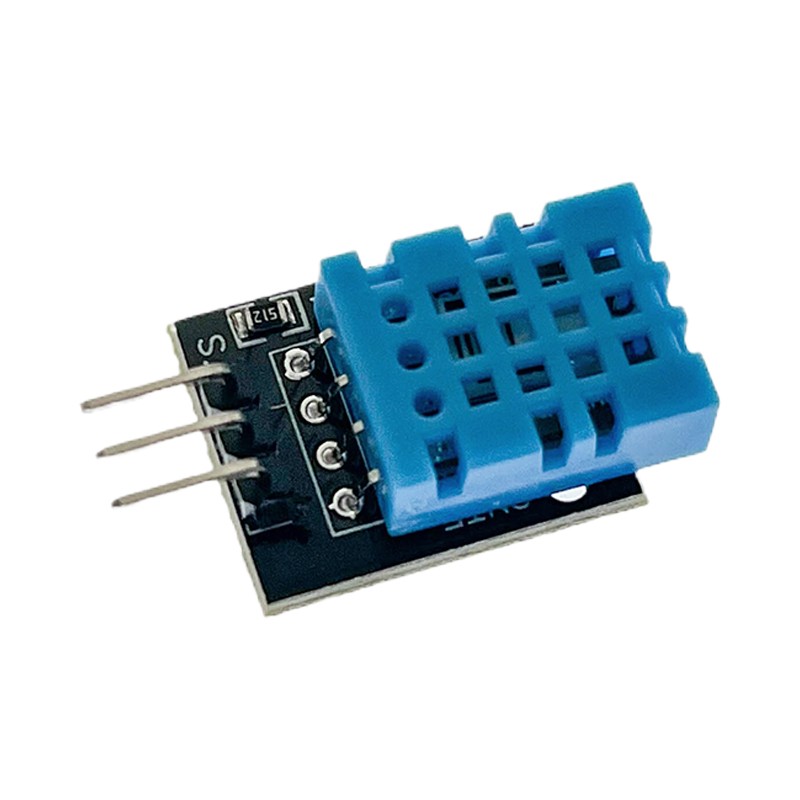
The DHT22 generally offers a wider measurement range, finer resolution and better accuracy than the DHT11. This makes it more suitable for weather monitoring, greenhouse control and other projects where environmental readings need to be more useful than a basic indication.
DHT11
Lower cost
Basic measurements
Narrower operating range
Lower resolution

DHT22 / AM2302
Wider measurement range
Higher resolution
Improved accuracy
Better suited to environmental monitoring
Do Not Read the Sensor Too Quickly
Like the DHT11, the DHT22 is not intended for high-speed sampling. Leave approximately two seconds between measurements.
delay(2000);
Polling the sensor too rapidly can result in repeated readings or communication errors.
Example: Automatic Fan Control
The temperature reading can be used to control a fan or ventilation system when the temperature rises above a selected threshold.
#include <DHT.h>

#define DHTPIN 2
#define DHTTYPE DHT22
#define FAN_PIN 7

DHT dht(DHTPIN, DHTTYPE);

void setup() {
  Serial.begin(9600);

  pinMode(FAN_PIN, OUTPUT);

  dht.begin();
}

void loop() {

  float temperature = dht.readTemperature();

  if (isnan(temperature)) {
    Serial.println("Sensor read failed");
    delay(2000);
    return;
  }

  if (temperature >= 30.0) {
    digitalWrite(FAN_PIN, HIGH);
  } else {
    digitalWrite(FAN_PIN, LOW);
  }

  Serial.print("Temperature: ");
  Serial.print(temperature);
  Serial.println(" °C");

  delay(2000);
}
A fan should normally be driven through a suitable transistor, MOSFET or relay rather than directly from an Arduino GPIO pin.
Example: High Humidity Warning
if (humidity > 70.0) {
  Serial.println("High humidity detected");
}
This can be expanded to operate an alarm, extractor fan, dehumidifier control relay or other automation system.
Calculating Heat Index
The Adafruit DHT library can also calculate an estimated heat index using both temperature and humidity.
float heatIndex =
  dht.computeHeatIndex(temperature, humidity, false);
The final parameter set to false indicates that the supplied temperature value is in Celsius.
Using the DHT22 with ESP32
The sensor can also be used with an ESP32 by connecting the data line to a suitable GPIO pin.
DHT22 VCC  -> Suitable Supply
DHT22 GND  -> ESP32 GND
DHT22 DATA -> ESP32 GPIO
When using a 3.3V microcontroller, confirm the supply and logic requirements of your particular breakout module.
Common Applications
- DIY weather stations
- Greenhouse monitoring
- Indoor climate monitoring
- Humidity-controlled ventilation
- Environmental data logging
- Smart home systems
- Equipment enclosure monitoring
- Temperature alarms
- Arduino and ESP32 projects
- IoT environmental monitoring
- STEM education projects
Sensor Placement
Position the DHT22 where air can circulate freely around it. Avoid mounting the sensor immediately beside voltage regulators, processors, power supplies, motors or other components that generate heat.
Heat from nearby electronics can cause the reported temperature to be higher than the true ambient temperature.
Important Usage Tips
The DHT22 is designed to measure moisture in the surrounding air and should not be exposed directly to water, rain or condensation unless it is installed inside an appropriately ventilated protective enclosure.
Allow the sensor time to stabilise after power-up, and avoid positioning it directly in front of heaters, air-conditioning outlets or fans unless the airflow itself is what you intend to measure.
For applications requiring substantially higher accuracy, faster sampling or long-term calibrated measurements, consider a higher-performance environmental sensor. For general Arduino and automation projects, however, the DHT22 provides an excellent balance of simplicity, range and measurement quality.



 Arduino Modules & Sensors
 Battery Compartments
 Component Cases
 Electronics Kits
 Microcontroller Boards
 Project Enclosures
 Shields & Hats
 Tablets
 Laptops
 Laptop Accessories
 CPU (Processor)
 CPU Coolers
 GPU (Graphics)
 HDD/ SSD (Storage)
 MOBO (Motherboard)
 PSU (Power Supply)
 RAM (Memory)
 Keyboard & Mouse Combo
 Keyboards
 Printers
 USB