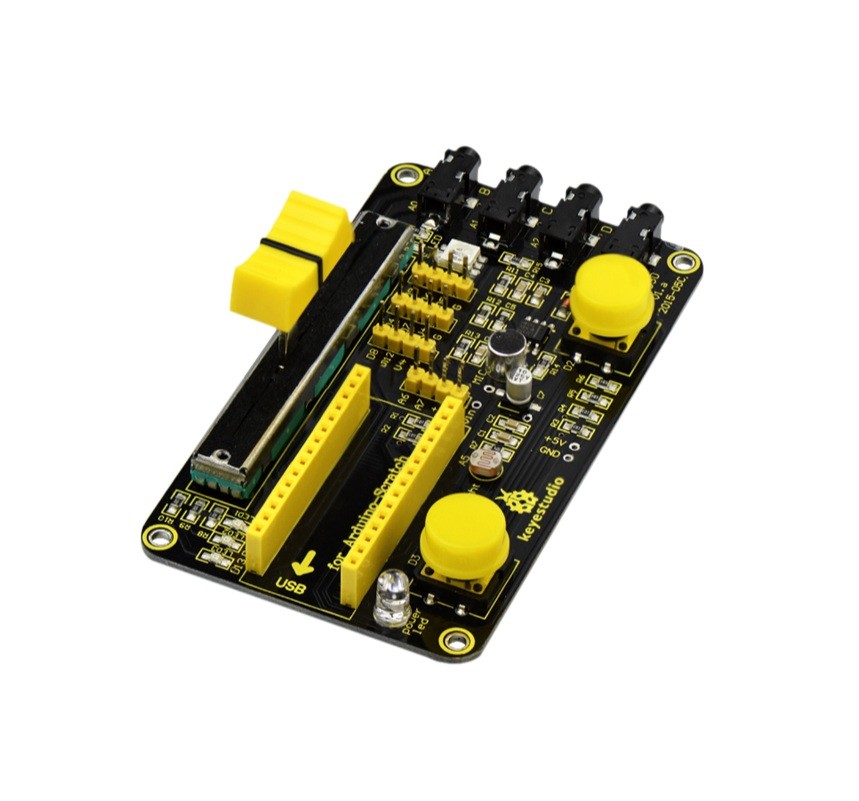
The Keyestudio KS0165 Nano Robotale Scratch Shield is an educational expansion board for Arduino Nano projects that introduce visual programming, sensor inputs and physical computing. Designed for use with Scratch for Arduino (S4A), it combines onboard light and sound sensors, a push button, a slider and four additional resistance-sensing inputs.
Students can use these physical inputs to control visual programs and explore how software responds to real-world conditions. A compatible Arduino Nano is required separately unless the product package explicitly states otherwise.
Key Features
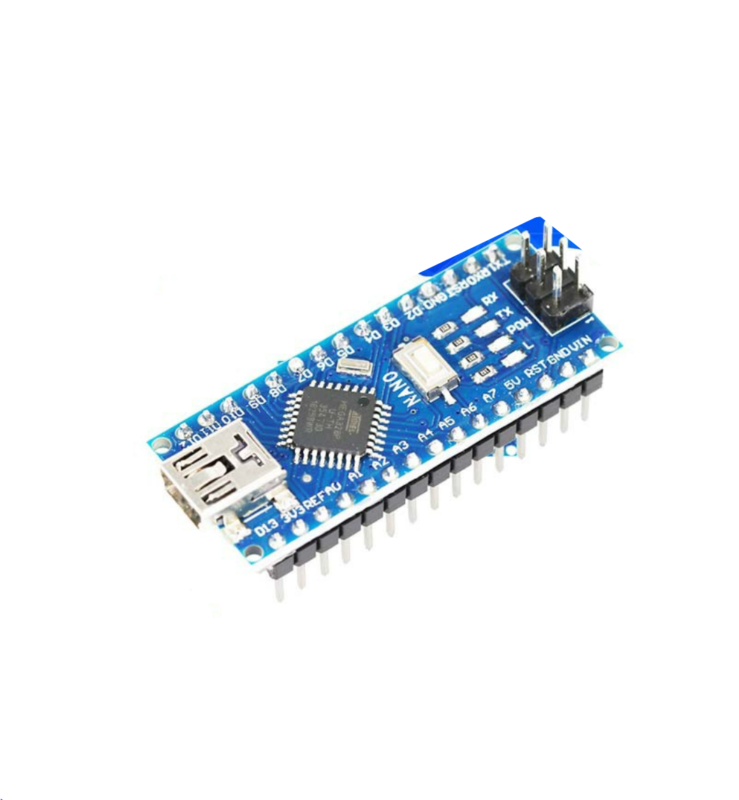
Arduino Nano Compatibility
Designed to work with an Arduino Nano development board as the main controller.
Scratch for Arduino (S4A)
Supports visual block-based programming activities that connect software logic with physical inputs.
Onboard Light Sensor
Read changes in surrounding light and use them to trigger or adjust program behaviour.
Onboard Sound Sensor
Provides sound-responsive input for interactive learning projects and experiments.
Button and Slider Controls
Explore digital button input and changing analogue values through hands-on activities.
Four Resistance Inputs
Additional cable-connected inputs let learners experiment with electrical resistance and conductive materials.
Learn Programming Through Physical Computing
Physical computing connects code with real-world inputs and outputs. Instead of programming only on screen, learners can use the shield’s sensors and controls to make a program respond to changes in light, sound, button presses, slider position and resistance.
Visual programming blocks can help beginners explore concepts such as events, conditions, loops and variables before moving on to text-based Arduino programming.
Integrated Sensors and Controls
Light sensor: Detect changes in ambient light. A Scratch activity can respond differently when the sensor is covered or exposed to brighter conditions.
Sound sensor: Provides an input that can respond to changes in surrounding sound. It is intended for educational experiments, not audio recording or calibrated sound measurement.
Push button: Provides a simple physical input for exploring pressed/released states, events and conditions.
Slider: Supplies a variable input that can be mapped to a software value. Keyestudio demonstrates using it to change the speed of an onscreen character.
Four resistance-sensing inputs: These allow experiments that detect electrical resistance through connected cables, introducing basic ideas about conductive materials and changing electrical values. Use only safe, low-voltage educational circuits.
S4A Software Setup
Keyestudio documents the KS0165 for use with Scratch for Arduino (S4A). Its setup workflow uses the Arduino IDE to upload the required compatible firmware to the Nano, followed by S4A on the computer to create visual scripts and interact with the shield.
- Fit a compatible Arduino Nano into the shield.
- Connect the Nano to your computer.
- Select the correct Nano board and port in the Arduino IDE.
- Upload the KS0165-compatible S4A firmware.
- Open the compatible S4A application and connect to the Nano.
- Create block-based programs that use the onboard sensors and controls.
Compatibility note: S4A is a specific Scratch-based Arduino environment. Do not assume the shield automatically works with every current Scratch release or unrelated visual coding application.
Example Learning Activities
- Change an onscreen character’s movement speed using the slider.
- Make a program respond when the light sensor detects a change.
- Explore sound-responsive actions using the onboard sound sensor.
- Use the push button to trigger an animation or change a program state.
- Experiment with resistance-sensing inputs and conductive materials.
- Use Arduino digital outputs to create a simple LED sequence.
Technical Specifications
| Brand |
Keyestudio |
| Model |
KS0165 |
| Product name |
Robotale Scratch / Scratch Shield |
| Product type |
Educational sensor and programming shield |
| Controller compatibility |
Arduino Nano development board |
| Programming environment |
Scratch for Arduino (S4A) |
| Light sensor |
Integrated |
| Sound sensor |
Integrated |
| Push button |
Integrated |
| Slider |
Integrated variable input |
| Additional inputs |
4 resistance-sensing inputs |
| Primary applications |
Programming education, physical computing, sensors and STEM |
| Arduino Nano included |
Not included unless specified in the package |
Important Usage Notes
- A compatible Arduino Nano is needed to operate the shield.
- Follow the KS0165 firmware and S4A setup instructions for the intended software workflow.
- Use the correct board and serial port when uploading firmware.
- The sound sensor is an input for educational experiments, not a microphone or calibrated sound meter.
- Connect only safe, low-voltage circuits to the resistance-sensing inputs. Never connect them to mains electricity or unknown voltage sources.
Frequently Asked Questions
What is the Keyestudio KS0165 Robotale Scratch Shield?
It is an educational Arduino Nano shield with onboard sensors and controls for learning visual programming and physical computing through Scratch for Arduino (S4A).
Which Arduino board does it use?
The KS0165 is designed for an Arduino Nano development board. The Nano is required separately unless your package specifically includes one.
Which sensors and controls are built in?
It includes a light sensor, sound sensor, push button and slider, plus four additional resistance-sensing inputs.
What software does the shield support?
Keyestudio documents the KS0165 for Scratch for Arduino (S4A), using compatible firmware uploaded to the Nano through the Arduino IDE.
Can I use it with every version of Scratch?
Do not assume universal Scratch compatibility. The documented workflow is specifically based on S4A and its compatible Arduino firmware.
What can the light sensor do?
It provides light-level input so a program can react to changes in surrounding brightness.
Can the sound sensor record audio?
No. It provides sound-responsive input for educational projects; it is not an audio recorder or precision sound-level meter.
What is the slider used for?
The slider provides a changing input value. Keyestudio’s example uses it to change the movement speed of an onscreen character.
What are the four resistance-sensing inputs for?
They allow learners to experiment with resistance changes through connected cables and explore how electrical properties can be read by a controller.
Is it suitable for beginners and schools?
Yes. Keyestudio describes the Robotale Scratch platform as designed for educators and beginners learning basic programming and sensor concepts.
Do I need to upload firmware before using S4A?
Yes. Keyestudio’s documented setup uses the Arduino IDE to upload the compatible firmware to the Nano before connecting through S4A.
Can I connect external voltage to the resistance inputs?
Use only safe, low-voltage educational circuits as intended. Never connect these inputs to mains electricity or unknown external voltage sources.
Why Buy from PcGuy Computers?
| Educational electronics range |
Browse related Arduino boards, sensors and STEM learning components. |
| Project selection |
Find hardware for coding education, physical computing and beginner electronics experiments. |
| Practical product details |
Review controller compatibility and software setup requirements before choosing components. |
The Keyestudio KS0165 Nano Robotale Scratch Shield brings visual programming and physical computing together through an Arduino Nano, S4A software, onboard light and sound sensors, a button, slider and four resistance-sensing inputs.
 Pick up from PcGuy Computers Store
 AusPost Standard
 AusPost Express


 Arduino Modules & Sensors
 Battery Compartments
 Component Cases
 Electronics Kits
 Microcontroller Boards
 Project Enclosures
 Shields & Hats
 Tablets
 Laptops
 Laptop Accessories
 CPU (Processor)
 CPU Coolers
 GPU (Graphics)
 HDD/ SSD (Storage)
 MOBO (Motherboard)
 PSU (Power Supply)
 RAM (Memory)
 Keyboard & Mouse Combo
 Keyboards
 Printers
 USB
Reviews
There are no reviews yet.