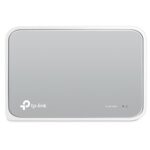
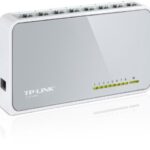
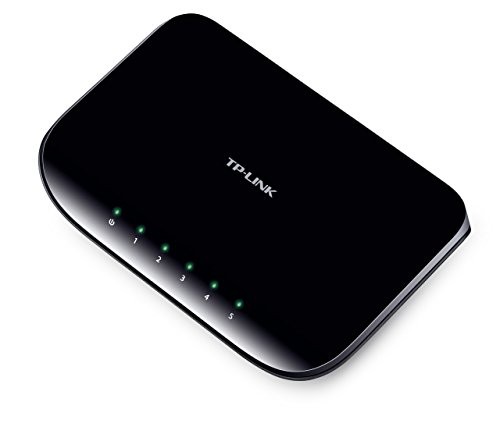
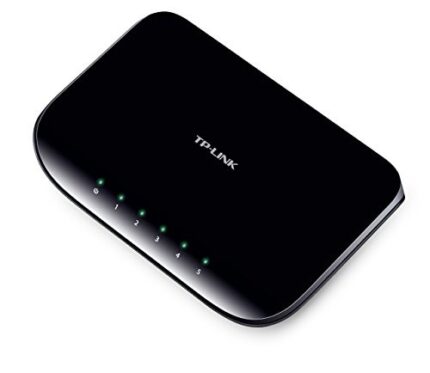
The TP-Link TL-SG1005D 5-Port Gigabit Desktop Switch expands a wired network with five 10/100/1000Mbps Ethernet ports. This unmanaged switch is designed for simple plug-and-play use, automatically negotiating link speed and using Auto MDI/MDIX to simplify cable connections. It is suitable for connecting desktop PCs, smart TVs, gaming consoles, network storage and other Ethernet devices.
Key Features
5 Gigabit Ethernet Ports
Five RJ45 ports support 10Mbps, 100Mbps and 1000Mbps Ethernet connections.
Plug & Play Setup
Unmanaged operation means no software configuration is required for basic network expansion.
Auto Negotiation
Each port automatically detects the connected device’s supported Ethernet link speed.
Auto MDI/MDIX
Automatically adjusts transmit and receive pairs, removing the need for crossover cables.
Fanless Operation
A fanless design provides silent operation for home and office environments.
Energy-Efficient Design
TP-Link Green Ethernet technology helps reduce power use according to link status and cable length.
Technical Specifications
| Brand |
TP-Link |
| Model |
TL-SG1005D |
| Product Type |
5-Port Gigabit Unmanaged Desktop Switch |
| Ethernet Ports |
5 × 10/100/1000Mbps RJ45 |
| Auto Negotiation |
Supported |
| Auto MDI/MDIX |
Supported |
| Network Standards |
IEEE 802.3, 802.3u, 802.3ab, 802.3x; IEEE 802.1p QoS on supported hardware revisions |
| Transmission Method |
Store and Forward |
| Flow Control |
IEEE 802.3x Flow Control |
| Cooling |
Fanless |
| Installation |
Desktop or wall mounting |
| Power Supply |
External DC power adapter; voltage/current vary by hardware revision |
| Dimensions |
140 × 88 × 23mm (published product dimensions; check hardware revision) |
Where Can You Use This Gigabit Switch?
- Home networks: Add wired Ethernet connections for PCs, smart TVs, consoles and streaming devices.
- Small offices: Connect workstations, printers and other network equipment through one compact switch.
- Network storage: Connect compatible NAS devices and computers over Gigabit Ethernet.
- Router expansion: Connect the switch to a router’s LAN port to add more wired network ports.
Important Before Buying
This is an unmanaged Ethernet switch, not a router or Wi-Fi access point. It does not provide internet by itself; connect it to a router or an existing network. Gigabit speeds require compatible Gigabit Ethernet ports and suitable network cables on the connected devices. TL-SG1005D hardware revisions can differ in power-adapter ratings and supported features, so check the revision printed on the unit label before matching a replacement adapter or relying on revision-specific functions.
Frequently Asked Questions
How many ports does the TP-Link TL-SG1005D have?
It has five RJ45 Gigabit Ethernet ports, each supporting 10Mbps, 100Mbps and 1000Mbps connections.
Is the TL-SG1005D a Gigabit switch?
Yes. All five Ethernet ports support Gigabit Ethernet speeds of up to 1000Mbps per port under suitable network conditions.
Does it require configuration?
No. It is an unmanaged plug-and-play switch. Connect the power adapter and Ethernet cables to expand your wired network.
Can I connect it to my Wi-Fi router?
Yes. Connect one switch port to a LAN port on your router, then connect wired devices to the remaining ports. The switch itself does not broadcast Wi-Fi.
Does it support Auto MDI/MDIX?
Yes. Auto MDI/MDIX automatically adjusts the Ethernet connection, so crossover cables are not required.
Is the switch noisy?
No fan is used in the design, so it operates silently during normal use.
Can it connect a NAS, PC and smart TV together?
Yes. Connect compatible Ethernet devices to the switch. They can communicate over the same local network when the router and network configuration allow it.
Does it work with all Ethernet cable types?
It supports standard Ethernet cabling with RJ45 connectors. To achieve Gigabit link speeds, use suitable four-pair Gigabit-capable cabling and ensure the connected devices also support Gigabit Ethernet.
Why Buy from PcGuy Computers?
PcGuy Computers provides product information and assistance to help customers choose suitable networking equipment. Confirm current stock, delivery arrangements and applicable warranty terms with the store before ordering.
TP-Link TL-SG1005D – Summary
The TP-Link TL-SG1005D is a compact five-port Gigabit unmanaged switch with plug-and-play setup, Auto Negotiation, Auto MDI/MDIX and fanless operation. It is a practical option for adding wired Ethernet connections to a home or small-office network.
 Pick up from PcGuy Computers Store
 AusPost Standard
 AusPost Express



 Arduino Modules & Sensors
 Battery Compartments
 Component Cases
 Electronics Kits
 Microcontroller Boards
 Project Enclosures
 Shields & Hats
 Tablets
 Laptops
 Laptop Accessories
 CPU (Processor)
 CPU Coolers
 GPU (Graphics)
 HDD/ SSD (Storage)
 MOBO (Motherboard)
 PSU (Power Supply)
 RAM (Memory)
 Keyboard & Mouse Combo
 Keyboards
 Printers
 USB
Reviews
There are no reviews yet.